
Thrift Savings Plan
FRTIBBusiness
4.81.92K Reviews
- Version
- 7.2.0
- Installs
- 500.00K
- Age Rating
- Everyone
Screenshots

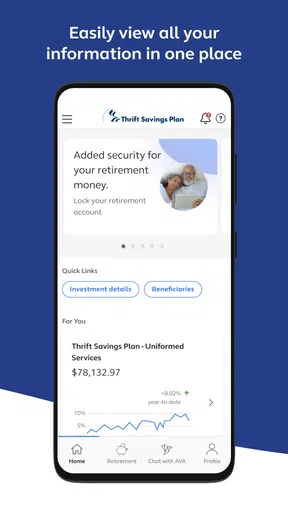
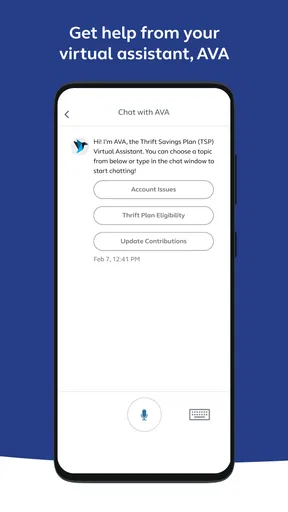
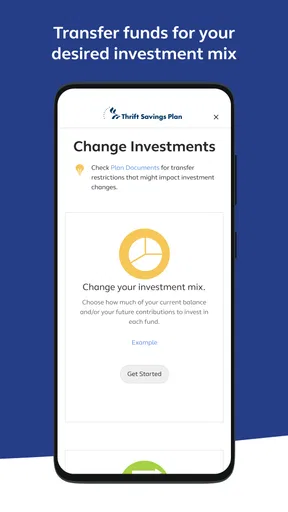
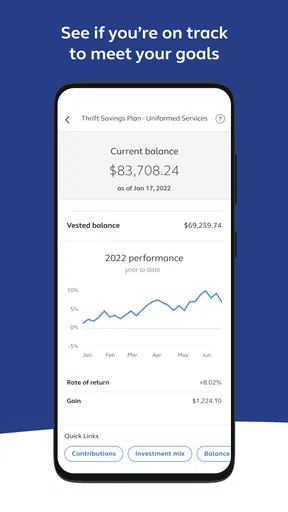
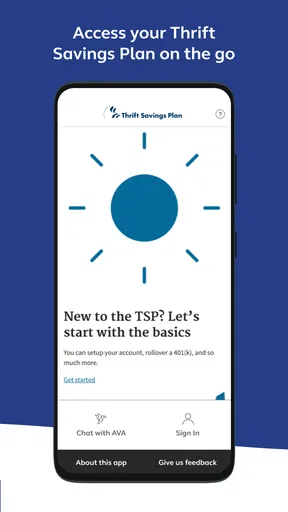
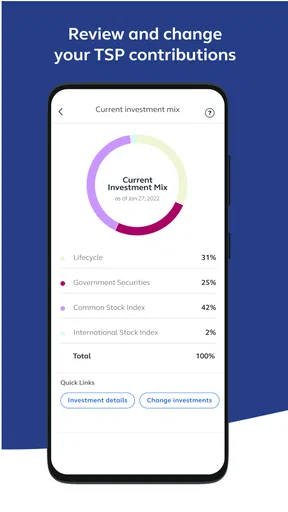

Our Review of Thrift Savings Plan
 Analysis by Appyee
Managing retirement savings is rarely something I want to do from a tiny phone screen, yet there are moments when opening a mobile app is much easier than finding a computer. Thrift Savings Plan is built for that exact situation: it puts access to a TSP account in a mobile setting and gives participants a more convenient way to check and manage their plan. I spent time looking at it as a practical business and personal-finance app, paying particular attention to account access, user control, and the points where careful handling matters more than visual polish.
My overall impression is cautious but positive. The app is free, available to Everyone, and has earned a 4.8 average from around 5.5K ratings, with roughly 1.9K written reviews. It has also passed the half-million-install mark, so this is not an obscure companion tool that only a handful of people use. Still, retirement accounts deserve a higher standard than an ordinary budgeting app. A clean screen is useful, but reliable sign-in behavior, understandable choices, and confidence before confirming an account action matter much more.
What the app is really useful for
The developer is FRTIB, and the app’s purpose is deliberately focused: it is a mobile doorway to the Thrift Savings Plan rather than a general-purpose money manager. That distinction helped me set the right expectations. It is not the kind of app I would install to track every bank account, build a household budget, or compare unrelated investment products. Its value comes from keeping TSP-related activity in one place when I am away from a desktop.
That narrow scope is a strength for existing participants. Instead of mixing retirement information with spending charts, credit monitoring, bill reminders, and promotional offers, the experience is centered on one plan. For someone who already has a TSP account and wants a mobile route to it, that focus feels more appropriate than using a broad financial dashboard that only summarizes retirement information.
It is less useful for a person who wants to start with education rather than account management. If your main question is how retirement plans work, how contribution choices fit into a wider financial plan, or how several providers compare, this app is unlikely to replace a dedicated learning resource or a conversation with a qualified adviser. I would treat it as an account-access tool, not as personalized financial guidance.
Trust begins before the first account screen
Retirement apps ask for a different kind of trust from ordinary productivity tools. I am comfortable experimenting with a note-taking app, but I would not casually enter sensitive account information just to see what a financial app looks like. With this one, the sensible approach is to install it only from the official Android or iOS store, check the developer name, and confirm that the app’s purpose matches the TSP account I intend to access.
The public signals are reassuring without being a substitute for personal caution. The app is free, and its Everyone content rating makes it accessible to a broad audience. Its current version is 7.2.0, while the release date shown for the product is May 20, 2022. I would still keep the operating system and app updated, because account-access software should not be treated like a one-time download that can be ignored indefinitely.
One practical point is easy to overlook: a strong store rating tells me that many people find the app useful, but it does not guarantee that every sign-in attempt or account task will feel effortless on every phone. Ratings are a helpful signal of general satisfaction, not proof that the app will behave identically across devices, network conditions, or account situations. That is why I would keep a desktop route available for important retirement decisions.
Account controls deserve deliberate attention
When I use a retirement account app, I separate viewing from changing. Checking information is one kind of task; submitting a transaction, adjusting a choice, or changing account details is another. Even when both actions appear in the same mobile interface, I slow down before the final confirmation and reread the destination, amount, selection, or effective choice shown on screen.
This is one of the most useful habits with a focused app like this: use the phone for timely awareness, but do not let convenience turn an important decision into a reflex. A mobile screen encourages quick taps, especially when I am standing in line or switching between other tasks. For anything that could affect long-term savings, I prefer to review the details twice and save a record of what I submitted through the account’s available confirmation process.
I also recommend treating sign-out and device access as part of account management. If I use a shared phone, a work device, or a handset that other people regularly handle, I would be much more careful about leaving the account open. I would lock the phone, avoid saving credentials where another person could reach them, and remove access before handing the device to someone else. These are simple steps, but they matter more than a decorative interface when the app connects to retirement savings.
The app’s focused design may also reduce a common source of confusion: there are fewer unrelated financial products competing for attention. That can make it easier to concentrate on TSP information. The trade-off is that a narrow tool may not answer broader questions about how a decision fits into emergency savings, debt repayment, taxes, or other retirement accounts. I would not mistake a clear account screen for a complete financial plan.
Privacy-sensitive moments in everyday use
The most sensitive moment is not necessarily the first launch. It is often the ordinary check performed in a public place. Imagine I am commuting home and want to confirm that a recent contribution or account update appears correctly. Looking over the balance on a crowded train could expose more than I intend. I would wait for a private setting, lower screen visibility, and avoid discussing the account while the app is open.
Notifications deserve the same care. If the app offers account-related alerts through the phone’s notification system, I would review how much information appears on the lock screen and adjust the device’s preview settings if needed. I am not assuming what the app displays in every configuration; the important point is that a notification can reveal financial context even when the app itself is locked. Checking the phone’s notification controls is a sensible privacy step for any account app.
I would also avoid using an unsecured public network for a sensitive account task when a trusted connection is available. A mobile app can be convenient without making every location equally suitable. If I only need to remember to check something later, postponing the action is preferable to rushing through it in an environment where I cannot concentrate or protect the screen.
Another small but valuable habit is separating review from action. I might open the app to understand the current position, close it, think through the decision, and return later to submit a change. That pause helps prevent an emotional response to a short-term market movement from becoming an impulsive long-term retirement decision. The app can provide access; it cannot decide whether a change is appropriate for my circumstances.
Where user choice matters most
Good account software should let me decide when to look, what to review, and whether to proceed. In practice, that means I want clear confirmation before an important action, enough context to understand what I am selecting, and a way to stop if the screen does not match my intention. I would never continue through an unfamiliar prompt simply because I had already entered most of the information.
For a TSP participant, the best workflow is often simple. First, open the app when I have enough time to focus. Next, review the relevant account information without changing anything. Then, if I am considering an action, verify the details against my own notes and goals. Finally, submit only after the confirmation screen makes sense. This separates observation from commitment and gives me a chance to catch an accidental tap.
I also value having an alternative route. If a mobile screen feels cramped, an account task appears ambiguous, or I need to compare several details at once, I would switch to the official web experience or another supported access method rather than forcing the task on a phone. That is not a failure of the app. It is a realistic recognition that mobile convenience and detailed review are not always the same thing.
The app is a better fit for people who already understand what they are trying to do. Someone who knows the purpose of a contribution or account update can use mobile access efficiently. A newcomer who is still deciding what a particular choice means should pause and seek reliable information before acting. The ability to tap through a process should never be confused with understanding its financial consequences.
How it compares with broader finance apps
Most general finance apps try to bring multiple accounts into one dashboard. That approach is useful when I want a household overview, spending categories, net-worth tracking, or a single place to watch several institutions. It can also be convenient for spotting a broad trend without opening each provider separately.
Thrift Savings Plan serves a different purpose. Its advantage is direct focus on the TSP relationship rather than a broad collection of financial accounts. For an existing participant, that can feel more relevant than a third-party dashboard that may summarize information but does not replace the provider’s own account channel. A specialized app is also less likely to distract me with unrelated budgeting features when I only need to check or manage TSP information.
The compromise is breadth. I would still use a budgeting app, spreadsheet, or financial-planning tool if I needed to connect retirement savings with monthly cash flow and other goals. I would also prefer a larger screen for comparing information, keeping notes, or working through a complicated decision. The TSP app complements those tools; it does not make them unnecessary.
There is another important difference in responsibility. A general dashboard may be fine for passive observation, but a provider-focused account app is where I would expect to perform account-specific tasks. That makes accuracy, careful confirmation, and secure device habits especially important. I would use the specialized app when I need TSP access, then use a separate planning method to think about what the information means in the context of my life.
Small workflows that make the app safer and more useful
My first recommendation is to create a routine rather than checking constantly. Retirement balances can move, and frequent phone checks can encourage short-term reactions. A planned review at a sensible interval gives the app a clear job: help me stay informed and complete necessary account tasks, not turn every market fluctuation into an emergency.
Second, I would keep personal notes outside the app for decisions that require thought. Before submitting a change, I might write down what I intend to do and why. Afterward, I would retain the confirmation details available through the account process. This creates a simple before-and-after record and makes it easier to notice if I accidentally selected the wrong option.
Third, I would test the basic sign-in flow before an urgent deadline. It is better to discover a forgotten credential, an outdated device setting, or a connectivity problem during a calm moment than when I need immediate access. I would not wait until the day an important account task is due to learn whether my phone is ready.
Fourth, I would use the app’s mobile convenience for monitoring but move to a computer when the information needs careful comparison. A larger display can reduce scrolling and make it easier to read a confirmation screen. This is a practical trade-off, not a criticism: phones are excellent for access in the moment, while computers are often better for deliberate review.
Finally, I would be skeptical of messages that ask me to bypass the normal account path. If an email, text, or pop-up urges immediate action, I would open the app directly rather than following an unfamiliar route. The safest choice is to verify the situation through the trusted account channel, especially when retirement savings are involved.
Who should use it, and who should look elsewhere?
I would recommend this app to an existing TSP participant who wants a direct mobile way to access and manage the plan. It is particularly suitable for someone who travels, works away from a desk, or prefers checking a focused account tool instead of opening a browser. The free price also removes a financial barrier to trying it, although the real value depends on whether mobile access fits the person’s habits.
I would be more hesitant to recommend it as the only tool for someone building a complete retirement strategy. It does not replace broad financial planning, tax guidance, debt management, or personalized investment advice. A person who wants one app to combine every account and spending category may be happier with a broader financial dashboard, while accepting that third-party aggregation serves a different purpose.
I would also suggest caution for anyone who tends to make financial decisions impulsively from a phone. The app can make access easier, and easier access is not always better if it leads to constant checking or rushed changes. In that case, using the app mainly for scheduled reviews and reserving major decisions for a quiet desktop session may be the wiser arrangement.
My cautious verdict
After reviewing it as a real account-access tool, I see Thrift Savings Plan as a useful, focused option rather than a complete financial companion. Its strongest quality is concentration: it is designed around TSP access, which is exactly what many participants need from a mobile app. The established user base and high average rating support the impression that it serves a genuine everyday purpose.
My trust in it would still be practical rather than automatic. I would verify the developer, keep the app and phone current, protect the device, pay attention to lock-screen exposure, and slow down before confirming an account action. I would also keep a desktop or official alternative available for detailed review. Those habits are not obstacles to convenience; they are what make convenience safer.
My recommendation is to use it as a controlled access point to your TSP, not as a substitute for understanding your retirement decisions. If you already participate in the plan and want a free mobile route for checking and managing it, this app is worth considering. If you need a full financial dashboard or personal advice, pair it with tools that cover those needs instead of expecting one focused app to do everything.
Verdict
Strengths of Thrift Savings Plan
- Official access to federal retirement savings information
- Secure login options help protect personal account data
- Clear balance and contribution details at a glance
- Useful tools for tracking investment performance over time
- Available on mobile for convenient account checks anywhere
Limitations of Thrift Savings Plan
- Some features may redirect you to a mobile website
- Requires an eligible TSP account to be useful
- Login or verification issues can delay account access
- Investment information may feel limited for advanced users
- App usefulness depends on stable internet connectivity
Similar Picks in This Category
View All
LinkedIn: Community & Network
LinkedIn3.8

Zoom Workplace
zoom.com4.1

Microsoft Teams
Microsoft Corporation4.6

Meta Business Suite
Meta Platforms, Inc.4.6

Webex Meetings
Cisco Systems, Inc.4.5

TeamViewer Remote Control
TeamViewer4.4
Frequently Asked Questions
What is the Thrift Savings Plan app used for?
The Thrift Savings Plan app is designed to help eligible federal employees, members of the uniformed services, and other participants manage their TSP accounts from a mobile device. After signing in, you can generally review your balance, check contributions and transactions, monitor investment allocations, and access account information without needing to use the full desktop website every time.
Who can use the Thrift Savings Plan app?
Access is intended for people who already have an eligible Thrift Savings Plan account, including qualifying federal civilian employees, members of the military, and certain other participants. You normally need valid account credentials and may be asked to complete additional identity or security verification. The app does not create eligibility, open an account for everyone, or replace guidance from your employer or TSP representatives.
Is the Thrift Savings Plan app safe to use?
The app is built for handling sensitive retirement-account information, so users should expect secure sign-in procedures and identity verification features. Even so, security also depends on your device and habits. Download it only from an official app store, keep your operating system updated, avoid public Wi-Fi when possible, never share verification codes, and enable a device passcode or biometric lock before viewing your account.
Can I change investments or manage contributions through the app?
Depending on the current version and your account status, the app may allow you to review investment information and perform selected account-management actions, such as changing allocations or reviewing contribution details. Available options can vary by participant type and TSP rules. Before confirming any transaction, carefully check the destination funds, percentages, and effective date because investment decisions can affect your retirement savings.
Is the Thrift Savings Plan app free, and what should I check before downloading it?
The official app is generally available without a separate download charge, although your mobile carrier may apply data fees. Before installing, verify the developer name, read the latest store description, check supported Android or iOS versions, and review requested permissions. You should also confirm that the app is the official TSP service rather than an unrelated financial tool using similar wording or branding.
